
The Angular team isn’t slowing down, and with each update, the framework gets more flexible and efficient. This time, the focus is heavily on optimization and improvements in application flow management. With new additions like the revamped control flow mechanism and deferred loading, Angular becomes even more powerful and easier to use. Let’s dive into these updates and see how they might enhance your work with the framework. Today, we’ll start with the new features of Angular 17 because it’s already 2025, and many developers still haven’t adopted them.
A New Beginning - The Angular Renaissance
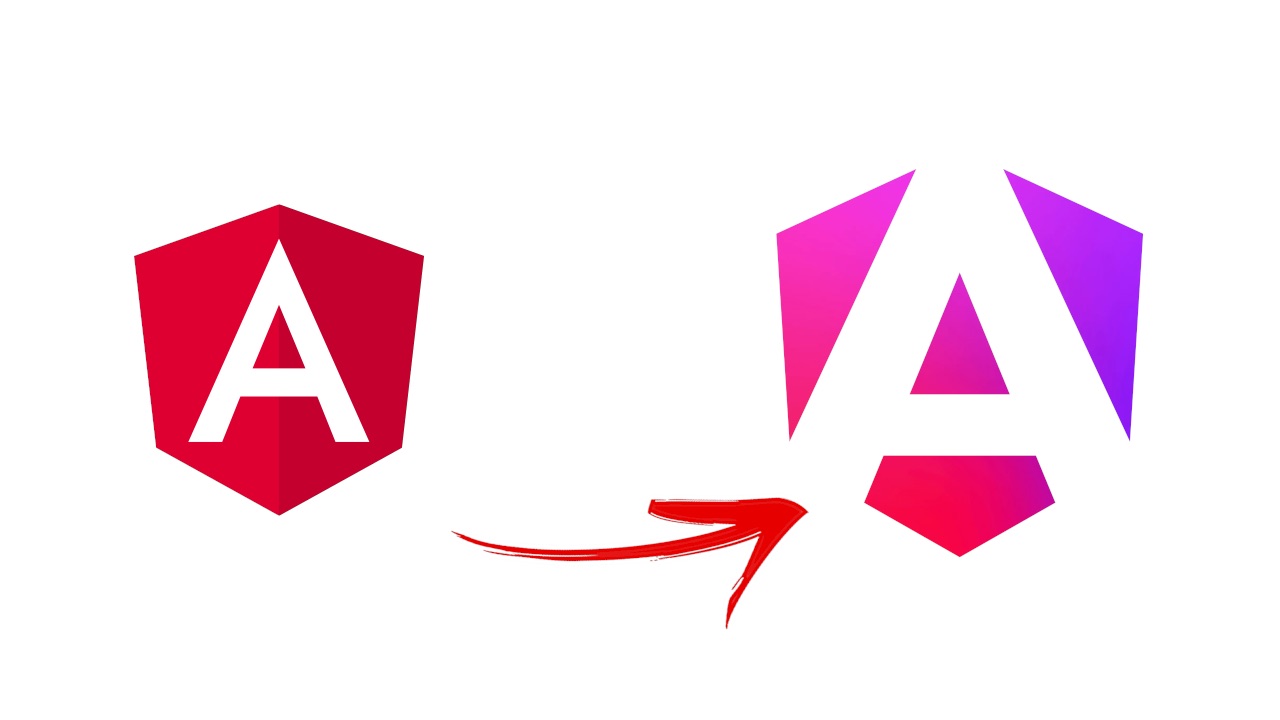
Angular 17 is more than just technical changes - it also comes with a fresh visual identity. Just before the new release, there was an event called Angular Renaissance, where the brand-new framework branding was unveiled. This was the first event of its kind since Angular’s inception, and it aimed to showcase a modern approach to both the framework and its community.
The entire color palette has been updated, and the well-known red logo got a sleek, minimalist makeover while keeping the shield shape, a nod to AngularJS heritage. This rebranding isn’t just about aesthetics; it signals Angular’s commitment to forward-thinking solutions.
Additionally, the official site, angular.dev, has been revamped, offering an updated documentation experience, examples based on the standalone API, tutorials covering key aspects of the framework, and a playground where you can test code directly in the browser. The improved site aims to provide even more support for developers, offering not only instructions but also tools to learn and experiment with Angular’s latest features.
New Control Flow Mechanism
One of the biggest and most noticeable changes in Angular 17 is the introduction of the new control flow system for templates. It’s a fundamental shift that’s set to eventually replace the current structural directives like ngIf, ngFor, and ngSwitch. The new syntax is based on block-style constructs, working similarly to JavaScript’s structure.
With this new approach, it’s easier to control how content is displayed based on conditions. Here’s what the new syntax looks like:
If
@if (time < 12) {
  Good morning!
} @else if (time < 17) {
  Good afternoon!
} @else {
  Good evening!
}
Switch
@switch (fruit) {
  @case 'apple' {
     <apple-cmp />
  }
  @case 'banana' {
     <banana-cmp />
  }
  @default {
     <unknown-fruit-cmp />
  }
}
Loop
<ul>
 @for (item of items; track item.id) {
 <li>{{ item.name }}</li>
 } @empty {
 <li>No items...</li>
 }
</ul>
This is especially true when it comes to loops, where Angular 17 brings the most improvements. The new @empty block lets you display content when a list is empty. Plus, using trackBy in a loop no longer requires writing additional functions - just point to the unique key of an object, and the list rendering process is automatically optimized.
In Angular 17, alongside the new blocks, the old directives are still available, but the Angular team has made it clear they’ll be phased out in the future. The migration to the new control flow is streamlined and can even be automated with the following command:
generate @angular/core:control-flow
The new Angular features are awesome!
Deferred Loading - Delayed Content Loading
Another major change in Angular 17 is deferred loading, a mechanism that delays loading selected elements on the page. This feature directly impacts app performance by reducing the initial bundle size. With the @defer directive, we can precisely control when specific elements should load, which is especially useful for users with slower internet connections.
Here’s an example of the @defer syntax:
@defer (when condition) {
  <deferred-cmp />
}
On
You can also use triggers to specify when an element should be loaded. Triggers can respond to user interactions (like clicks or hover) or when an element enters the user’s viewport:
@defer (on interaction) {
  <deferred-cmp />
}
Trigger Types:
- Idle - loading happens when the browser goes idle.
- Interaction - triggered by user actions (e.g., click, hover).
- Timer(x) - element loads after a specified time.
- Hover - loading when the user hovers over the element.
- Viewport - activates when the element appears in the user’s view.
Deferred content loads only once - after loading, it can’t be undone, so it’s important to plan when the element should load.
Prefetch
The prefetch function lets you separate the content download process from its rendering. It uses triggers like idle to fetch dependencies earlier, improving the user experience by speeding up the loading of pre-fetched data. Example:
@defer (on interaction; prefetch on idle) {
  <deferred-cmp />
}
Optional Blocks:
@placeholder- temporary content displayed until the deferred content loads.
  @defer (when condition) {
    <deferred-cmp />
  }
  @placeholder (minimum 2s) {
    <span>There will be deferred content.</span>
  }
@loading- content shown while dependencies are being loaded.
  @defer {
    <deferred-cmp />
  }
  @loading (after 100ms; minimum 1s) {
    <span>Content is loading...</span>
  }
@loading allows you to define a minimum display time and a delay before the loader appears.
@error- content rendered if the loading fails.
  @defer (timeout 1s) {
    <deferred-cmp />
  }
  @error {
    <p>Failed to load the deferred component</p>
    <p>Error: {{ $error.message }}</p>
  }
The @error block lets you set a loading timeout, and the $error variable contains the error details.
Signals Finally Stable
Signals first appeared in Angular 16 as an experimental feature, but now they’re officially a stable part of the framework. Signals make it possible to trigger Change Detection only for a specific component, which can greatly improve app performance. A good example is local Change Detection, which limits the process to just the component that actually needs updating. To make this work, all components need to use the OnPush strategy.
One of the updates in Angular 17 is a change to the defaultEquals function, which now relies on Object.is(). This means that a modified object without a change in reference won’t trigger signal updates, improving performance but requiring a solid understanding of how this mechanism works. You can read more in our Angular Signals article.
Improvements in SSR - Server-Side Rendering
Server-side rendering (SSR) is becoming an increasingly important part of Angular. In Angular 17, the team introduced further improvements, including moving non-destructive hydration out of developer preview. Non-destructive hydration allows you to connect the capabilities of a SPA without destroying the server-rendered DOM tree. In practice, this leads to more efficient page loading without needing to re-render the entire view.
Looking ahead, partial hydration is also in the works, which will allow rendering only specific parts of the page on the server, while the rest of the app is dynamically loaded on the client side. This will enable full use of deferred loadingcombined with SSR, significantly improving app loading times.
Better Builds with esbuild
Angular 17 also brings major improvements to the app build process. With esbuild, the new builder now supports not only browser-based apps but also those using SSR and prerendering. A unified build process eliminates differences caused by using different compilation tools, simplifying project management.
Lazy-loading Animations
The new version of the framework introduces lazy-loading for animations, meaning the animation code isn’t loaded at app startup but only when it’s actually needed. This can reduce the initial bundle size by up to 60 KB. To enable lazy-loading for animations, simply replace provideAnimations() with provideAnimationsAsync() in the providers section:
import { provideAnimationsAsync } from "@angular/platform-browser/animations/async";

bootstrapApplication(AppComponent, {
 providers: [
   provideAnimationsAsync(),
   provideRouter(routes)
 ]
});
Support for View Transition API
Angular 17 also introduces support for the View Transition API, which enables smooth animations when transitioning between different views on a page. With this API, you can easily create animations between various application states. The configuration is simple and just requires adding withViewTransitions to the routing:
import { provideRouter, withViewTransitions } from '@angular/router';

bootstrapApplication(AppComponent, {
 providers: [
   provideRouter(routes, withViewTransitions())
 ]
});
Other Important Changes
There are also a few other notable updates in Angular 17 worth mentioning:
- Angular DevTools has been enhanced with a feature to inspect the injector hierarchy, making debugging easier.
- New apps are now standalone by default and use Vite as the build system.
- Support for Node 16 has been dropped - the minimum supported version is now Node 18.13.
- The lowest supported TypeScript version is now 5.2.
- You can now add styleUrl directly to the
@Componentdecorator, making style management in components simpler.
Angular 17 Summary
Angular 17 brings a lot of new features and improvements that will significantly impact how we work with the framework. New control flow mechanisms, deferred loading, and signals are just a few of the key changes. The migration to the new control flow and full SSR support make Angular even more efficient. Follow us! Another article in this series will be coming soon, where we’ll talk about the new features in Angular 18 and 19 that are worth using in 2025.